
Droma™
Migraine & POTS tracking that sees what’s coming
I'm a former marketing strategist and life coach transitioning into UX design. I bring something most designers don't — years of living with chronic migraine and a comorbid diagnosis of POTS since middle school. That lived experience didn't just inform this project. It shaped every single decision in it.
This project was completed as part of the IxDF AI for Designers course, which challenged me to use AI tools critically — not as a shortcut, but as a research and ideation partner that I evaluated, fact-checked, and pushed back on throughout the process.
Tools used: Figma, Claude, ChatGPT, Pixelmator Pro.
OverviewI've had migraines since middle school and abandoned every tracking app I've tried. Droma™ is the app I designed to fix that — connecting Apple Watch biometric data to migraine patterns for patients with POTS, and warning you before you feel it.
The Problem
People living with migraine already generate rich health data through wearables and symptom tracking, but existing apps fail to turn that data into personalized, actionable insights. Logging feels burdensome during attacks, feedback is generic or absent, and apps offer no meaningful utility during migraine-free periods. Users abandon apps before they can deliver value — and the opportunity to improve clinical care and daily self-management is lost.
This problem is personal. I've abandoned every migraine tracking app I've ever tried.
The Design
Droma™ is a migraine and POTS tracking app that passively ingests Apple Watch biometric data — HRV, heart rate, sleep — and uses it to build a personalized pre-migraine signature over time. When Maya's pattern matches her historical prodrome signature, Droma warns her before she feels it. Accessibility was top of mind during the design process.
Key design decisions:
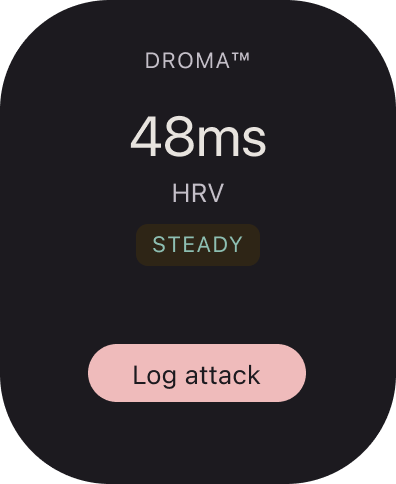
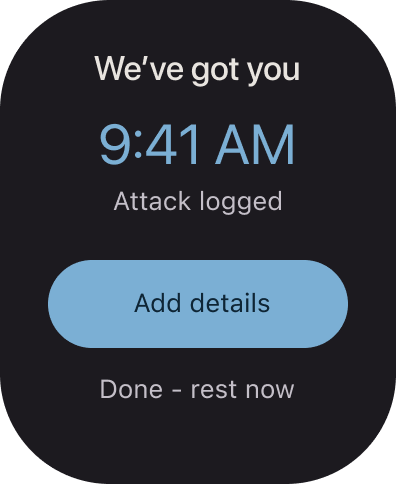
Ultra-low friction logging — a single Watch tap starts an attack log. The ideal interaction during an active migraine takes under 15 seconds.
Passive intelligence — Apple Health data is captured automatically every day. Maya never has to enter data she's already generating.
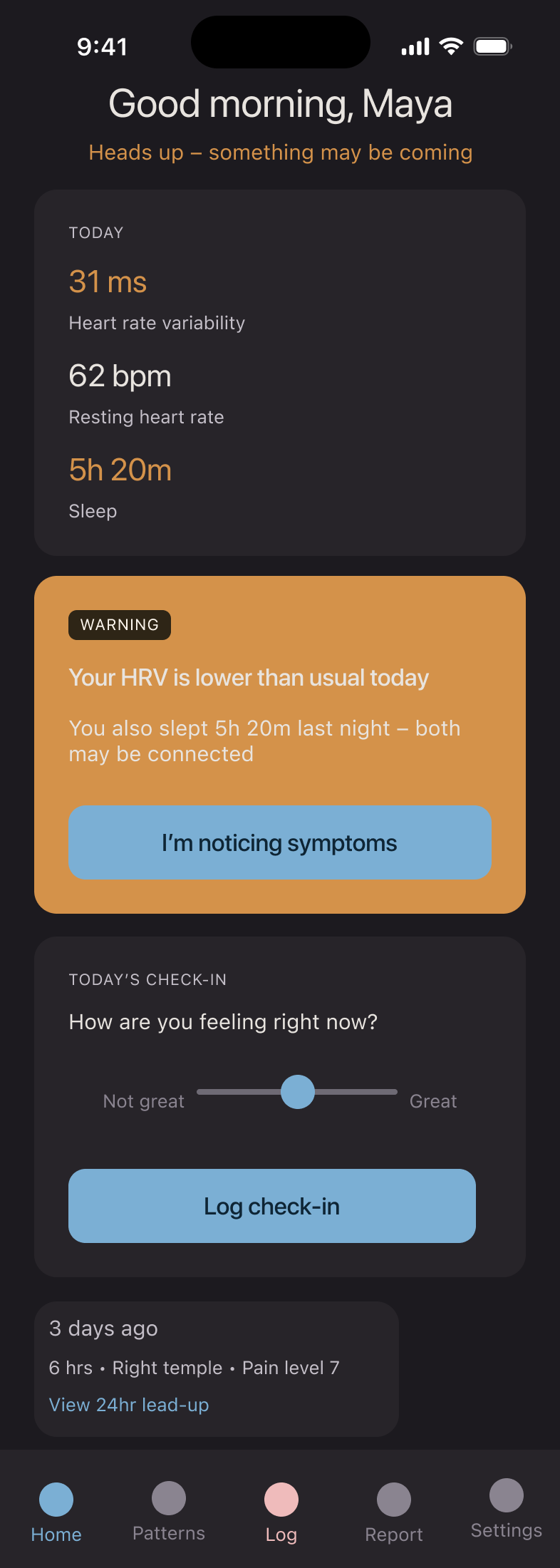
The warning window — Droma's most distinctive feature. A gentle amber alert when biometrics match Maya's pre-migraine signature, with context: "Your HRV is lower than usual — you also slept 5 hours last night."
Emotionally gentle UX — dark mode by default, minimal animation, validating language throughout. "You had a hard week" not "7 migraine events recorded." No streak pressure. No guilt for missed entries.
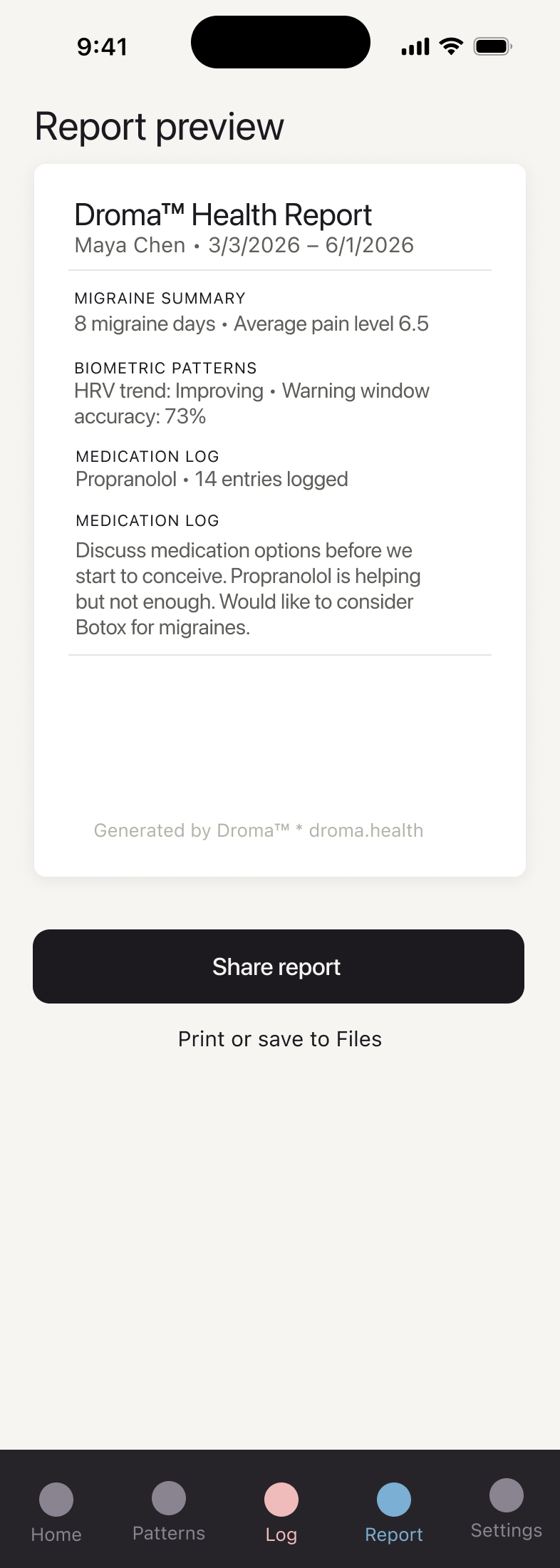
Clinical utility — a one-tap comprehensive PDF report Maya can share with her physicians.
Privacy by design — cycle tracking is optional, on-device only, never synced to the cloud. A deliberate decision for users in states with abortion restrictions.
Designing for a sensitive nervous system
Migraine sufferers are photosensitive by nature. High contrast, saturated colors, and busy interfaces can be genuinely triggering — not just aesthetically unpleasant. Droma™'s palette was built around this reality from the start.
Dark mode is the default — not a preference toggle. The background is a warm near-black (#1C1A1F) rather than pure black, which reduces harshness without sacrificing depth. Text uses a warm off-white (#E8E4DF) rather than pure white for the same reason.
The single accent color — a muted, dusty blue (#7BAFD4) — was chosen for calm and clarity. It's distinguishable across the most common forms of color blindness, and its low saturation keeps it from competing with content.
Status colors are intentionally desaturated — amber for warning, soft teal for positive patterns, pale rose for active migraine states. None are aggressive. All are paired with icons so color-blind users always have a second signal.
The palette was refined iteratively — every color was tested at 100% zoom against the question: "Could Maya read this with one eye half open during a prodrome?" If the answer was no, it changed.
Droma™ Prototype
Splash Screen
What Maya sees when she opens the app
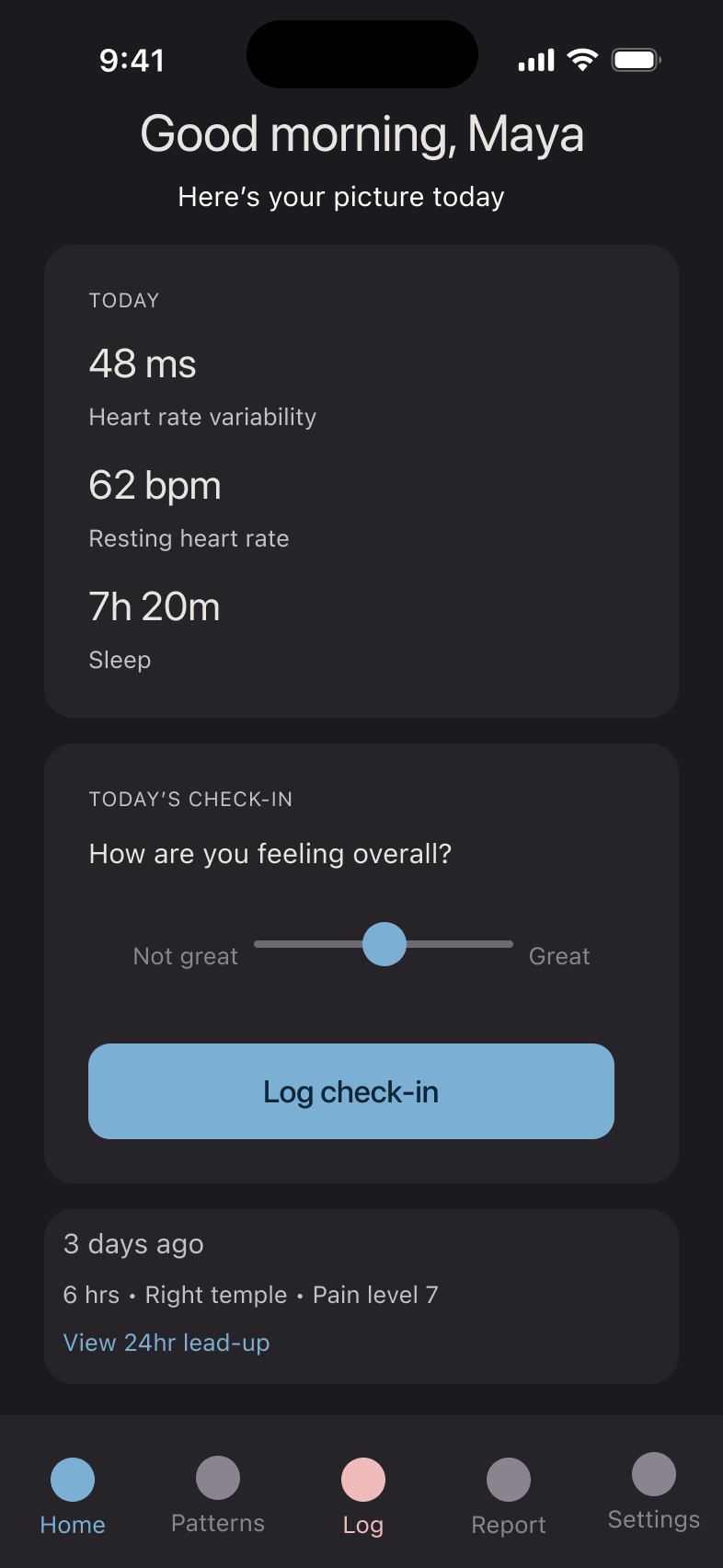
Home Screen (Steady State)
Home Screen when Droma™ has not detected a migraine
Home Screen (Warning State)
Home page when Droma senses an attack coming
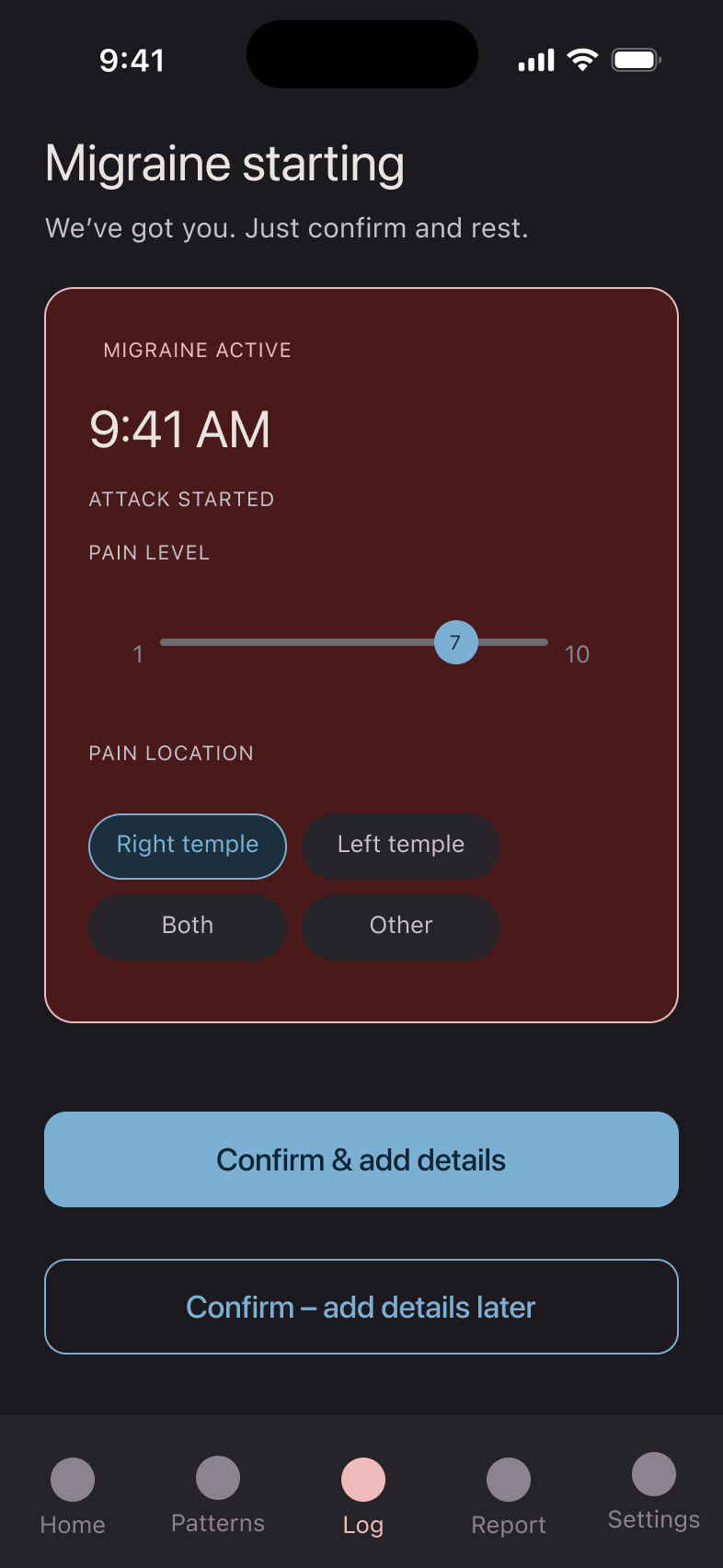
Attack Logging Screen
Where Maya logs the beginning of an attack
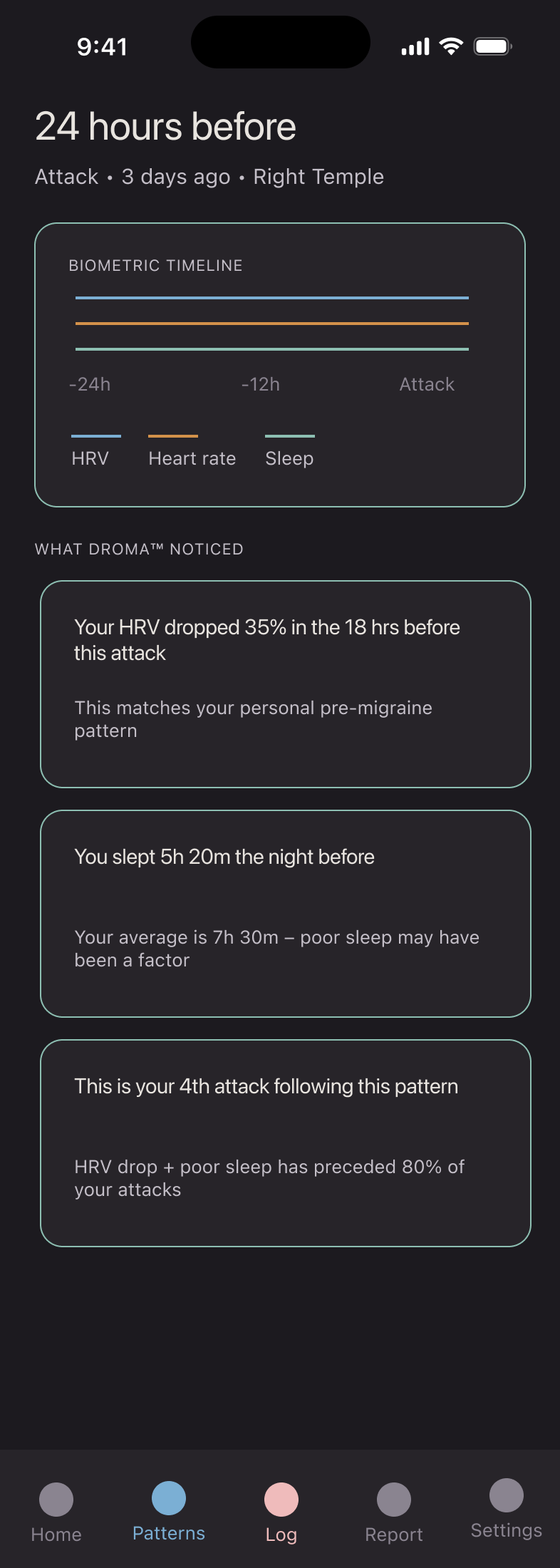
24-Hour Lead-Up Screen
Droma™ shows what was happening in the 24hr before the attack
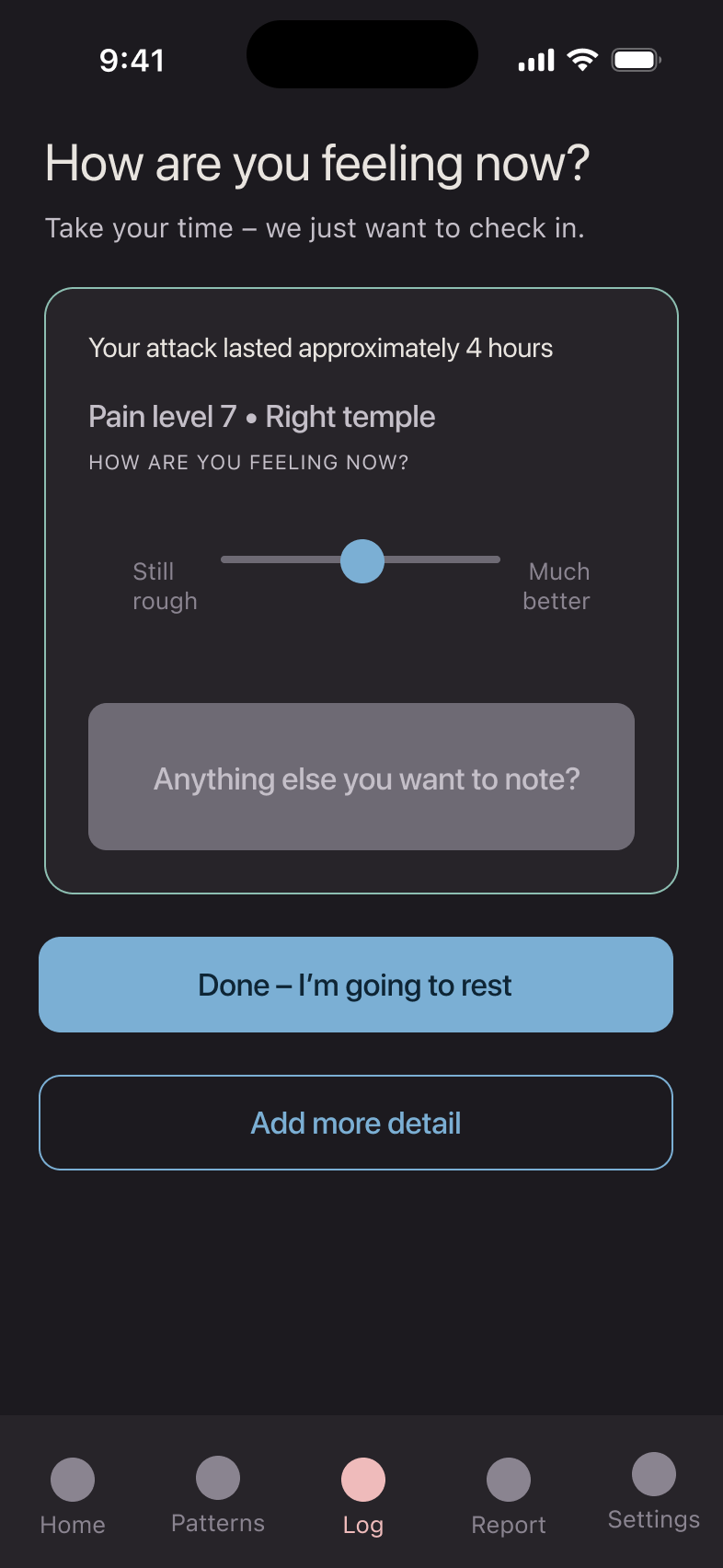
Post-Attack Check-In Screen
Droma™ prompt when the app senses the migraine is over
Report-Generation Screen
Where Maya goes to generate a report for her physicians
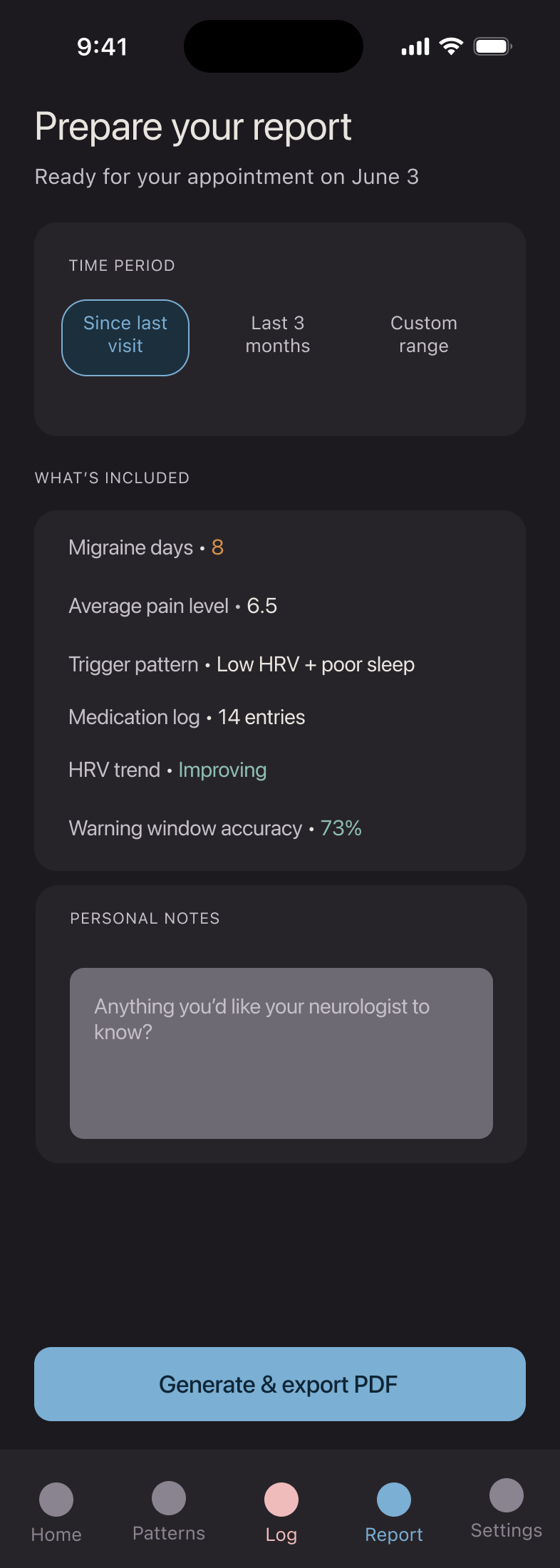
Report Preview Screen
Where Maya can preview the physicians’ report before sharing
Apple Watch Home Screen
Primary Apple Watch Screen
Apple Watch Attack-Confirmation Screen
Droma™ confirms that Maya has logged an attack
Apple Watch Warning-Notification Screen
When Droma™ notifies Maya of a potential impending attack
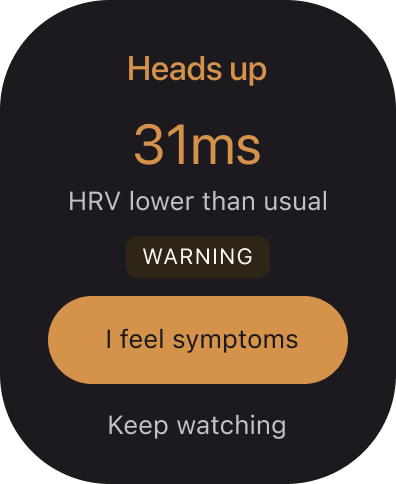
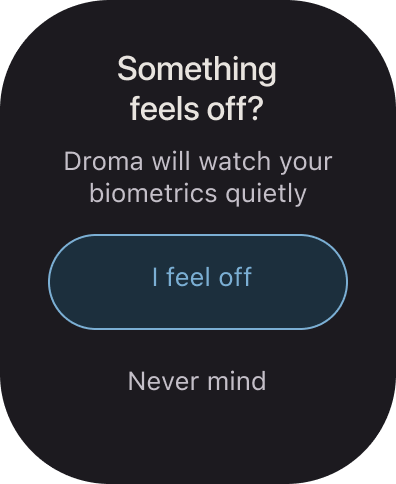
Apple Watch “I feel off” Screen
When Droma™ senses changing biometrics, Maya can confirm
Quick links
The Problem | The Research | The User | The Design | App Prototype | What’s Next
What’s Next?
Droma™ is a design concept — but it's a design concept with a real scientific foundation, a secured domain, and a phased roadmap ready for development.
Further research needed
The five studies that informed this design are a starting point, not a conclusion. Before Droma™ could move into development, deeper investigation is needed into:
The precision and reliability of HRV as a migraine predictor across diverse patient populations — current research is promising but not yet definitive
How POTS severity affects HRV baseline variability and what that means for personalized threshold-setting
How hormonal fluctuations during pregnancy affect HRV readings — critical for Maya's use case and currently understudied (cycle tracking is optional)
User testing with actual chronic migraine and POTS patients — this design reflects one patient's experience. It needs to reflect many.
The phased roadmap
Development would follow the three-phase feature roadmap established during ideation:
Phase 1 — Core capture, passive tracking, sensory-aware design, data sovereignty
Phase 2 — Pre-migraine signature intelligence, warning window, specialist report generation
Phase 3 — Voice logging, predictive comparison views, emotional check-ins, optional cycle tracking
Looking for collaborators
Droma™ needs a technical co-founder or health tech partner with machine learning capability and HealthKit experience. The design is ready. The science is promising. The user need is real.
Want to collaborate to build Droma™? I'd love to talk. kelly@kellysmith.me · droma.health
Research Papers
1. HRV & Migraine Heart Rate Variability and Migraine PMC / National Library of Medicine https://pmc.ncbi.nlm.nih.gov/articles/PMC8021769/
2. Correlation Between POTS & Migraine Postural Orthostatic Tachycardia Syndrome (POTS) and Migraine: A Narrative Review American Headache Society https://americanheadachesociety.org/research/library/research-summary-postural-orthostatic-tachycardia-syndrome-pots-and-migraine-a-narrative-review
3. POTS & HRV Heart Rate Variability and POTS Dysautonomia Expert https://dysautonomiaexpert.com/heart-rate-variability-and-pots/
4. Migraine Can Be Predicted with HRV Fluctuation PubMed / National Library of Medicine https://pubmed.ncbi.nlm.nih.gov/41607086/
5. Migraine & Heart Rate Migraine and Heart Rate PMC / National Library of Medicine https://pmc.ncbi.nlm.nih.gov/articles/PMC10422873/