
MyChart Invite a Caregiver
Rough-and-dirty design improvement
The Problem
I thought I loved MyChart. But really I’m just used to it. And habituation can prevent us from seeing something with a critical eye.
Last year, I wanted to add my adult daughter as a caregiver to my MyChart account. I didn’t want to giver her my login. I wanted her to have her own and have access only to the data of my choosing.
I found the process confusing, overwhelming, and cumbersome, and it ended with an error message.
MyChart — Before
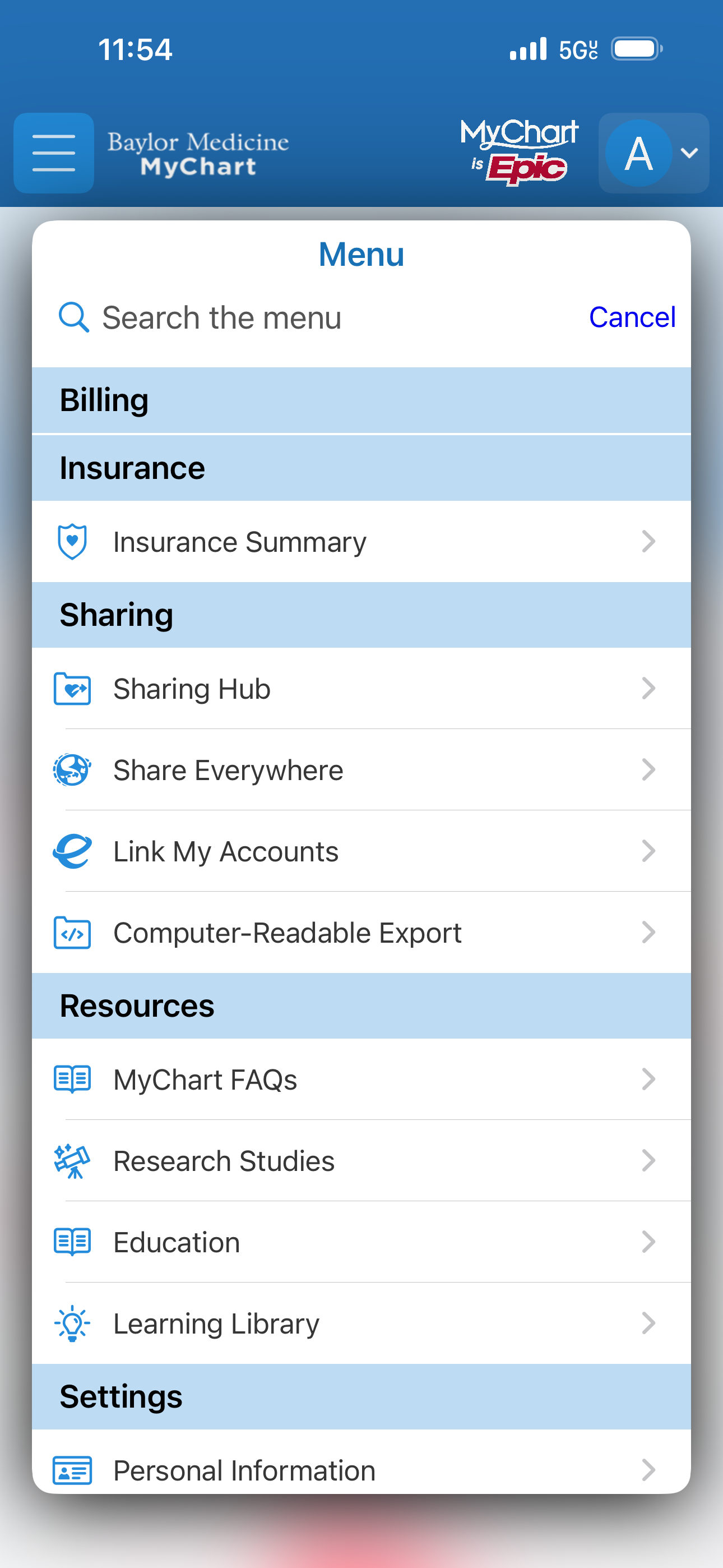
Hamburger menu
The hamburger menu contains an overwhelming and confusing number of items. The Sharing section itself has four obfuscating options with no obvious way to know which to select.
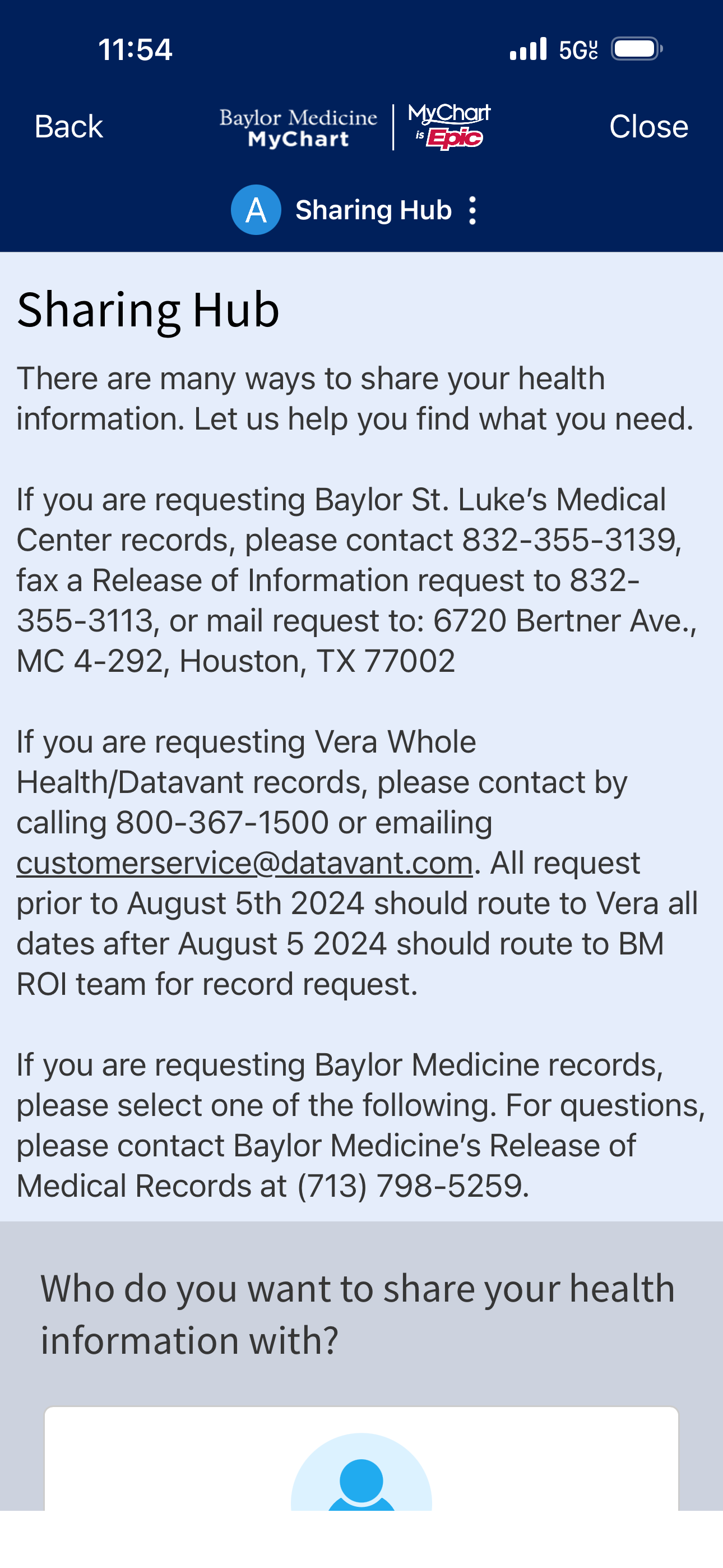
Sharing Hub screen 1
When you select “Sharing Hub” in the hamburger menu, you are brought to a screen with three dense paragraphs of text that don’t necessarily address your concern.
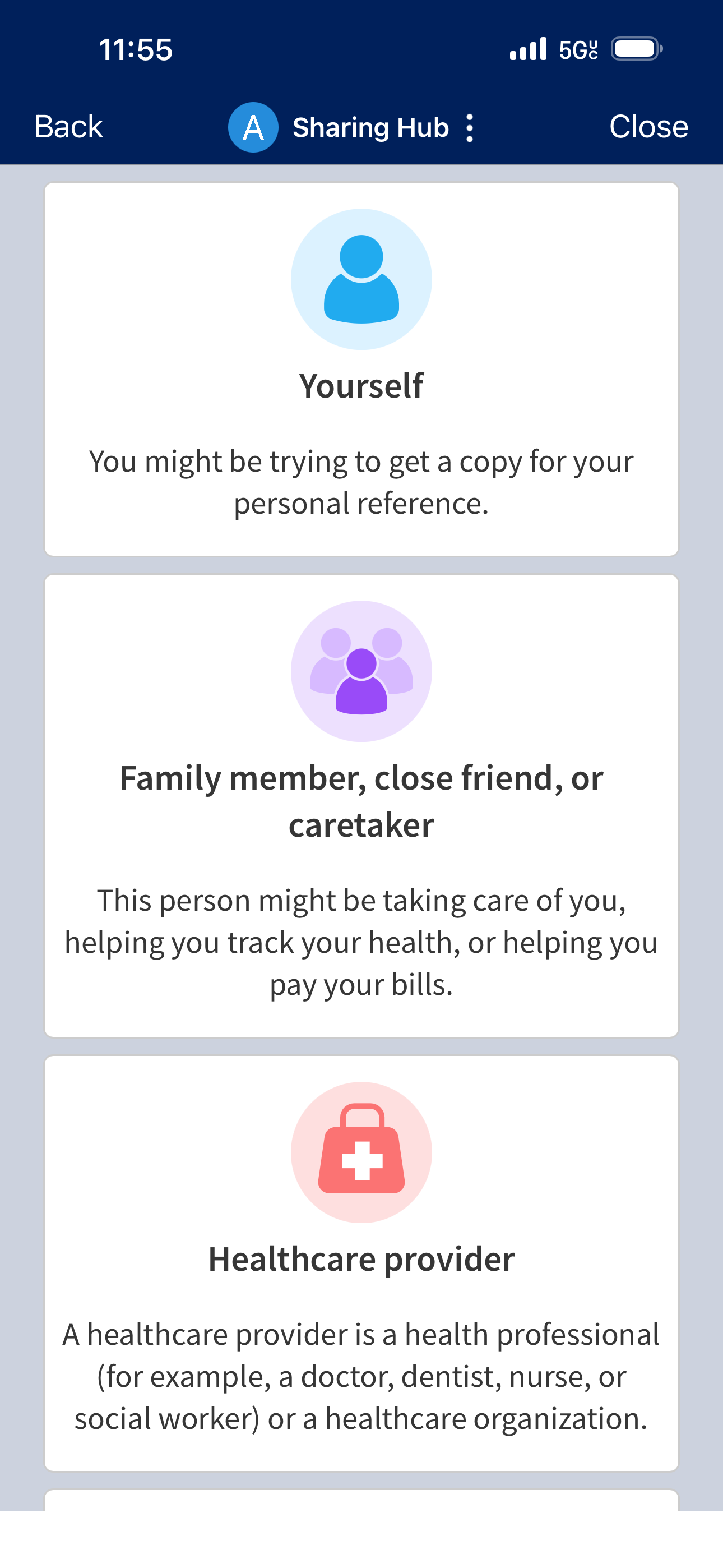
Sharing Hub screen 2
When you scroll past the text, you finally discover options for sharing with different people: Yourself, family member/close friend/caretaker, or healthcare provider.
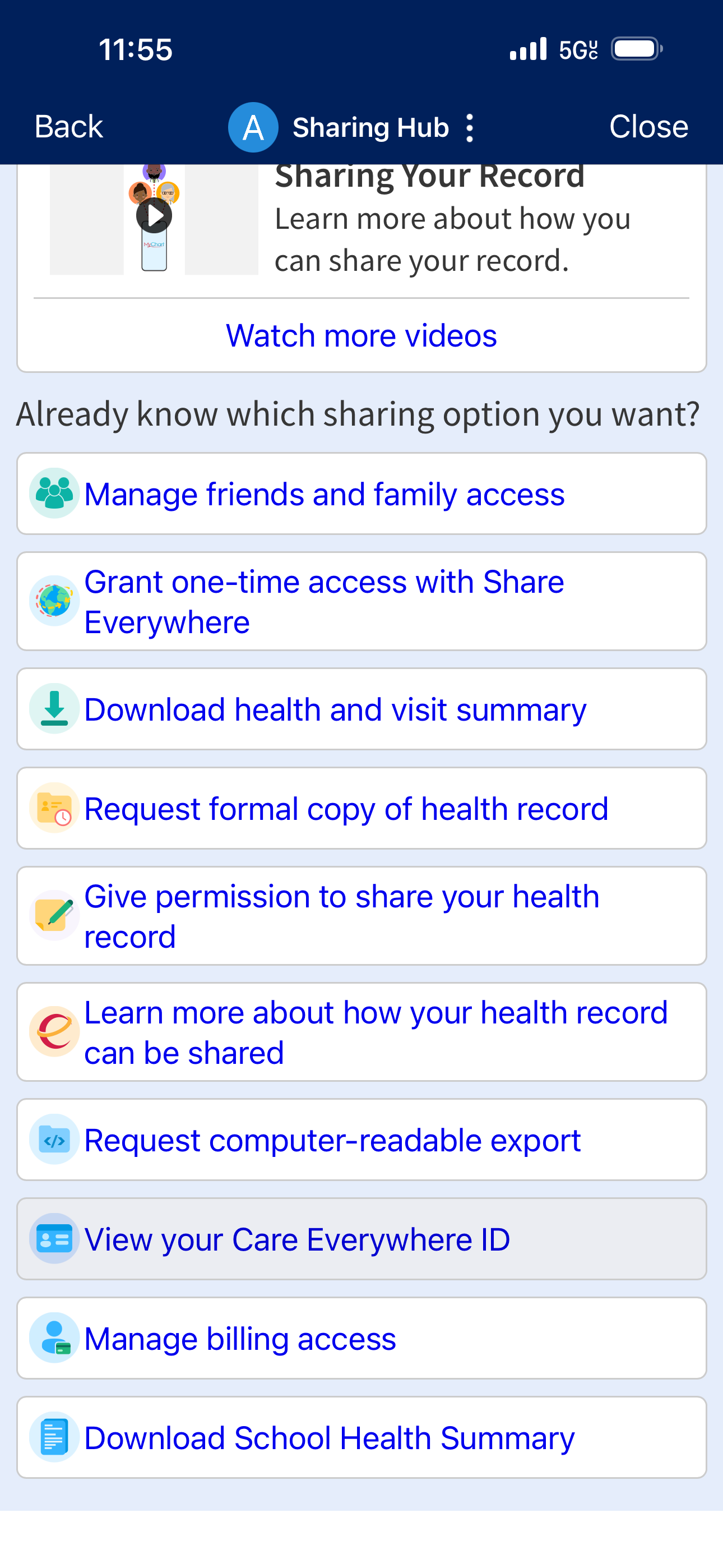
Sharing Hub screen 3
Scrolling farther down on the Sharing Hub screen, you discover more than 8 additional sharing options.
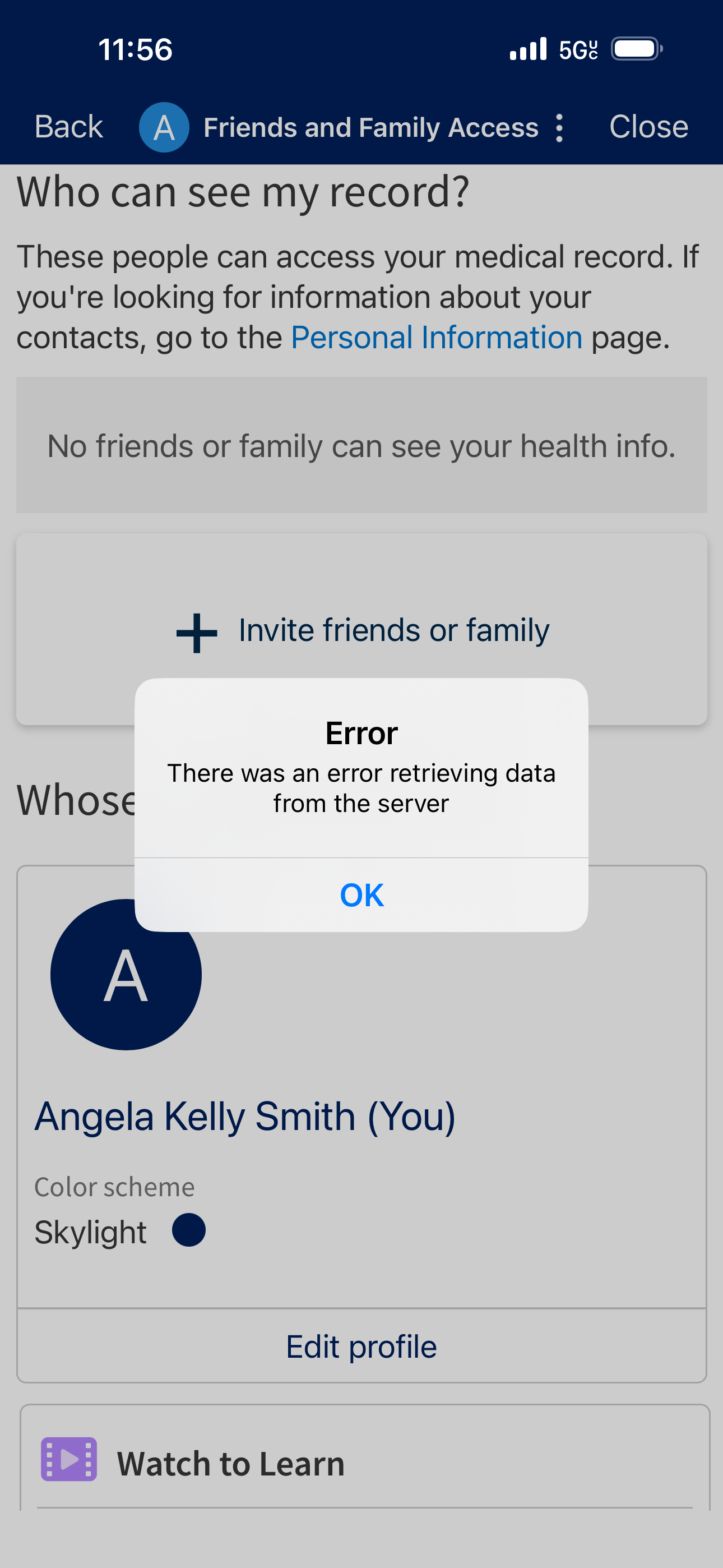
Sharing Hub error message
After going through the process of sharing with a caregiver, you get an error message — failure to invite.
Why this is bad UX design
(1) The option to share your records is hidden in the dense hamburger menu with four different options for sharing.
(2) The Sharing Hub screen has too much text at the top, requiring significant scrolling to find what you’re looking for.
(3) There are too many sharing options without much clarity about what means what.
(4) Going through the sharing process results in an error message.
The Solution
(1) Change the hamburger menu to have only two options in the Sharing section: Share Your Records and Invite a Caregiver.
(2) Reduce invite-a-caregiver steps to one screen instead of four.
(3) Make the single screen as simple and clear as possible.
(4) Make fields and buttons obvious without the need for lengthy text explanations.
Invite a Caregiver — After
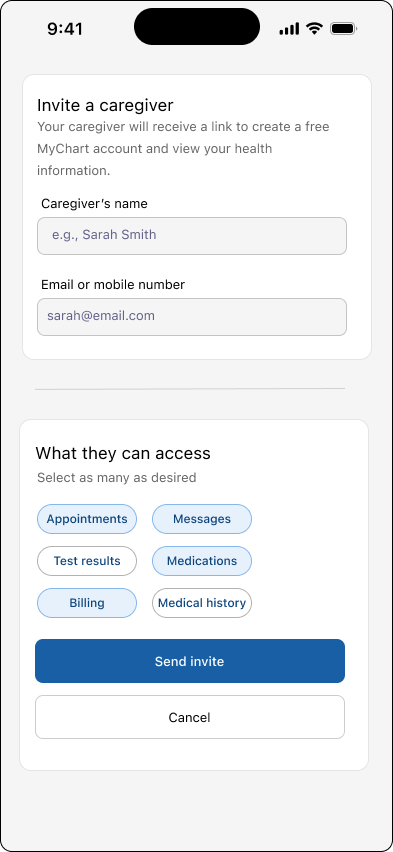
Single Invite a Caregiver screen
The improved Invite a Caregiver screen contains only the necessary information for sharing the records of your choosing with a caregiver.
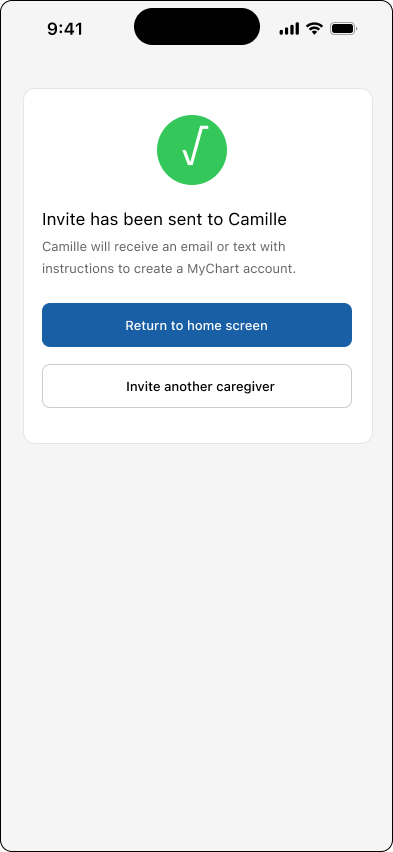
Invite a Caregiver confirmation screen
The improved Invite a Caregiver process includes an easy-to-understand confirmation screen.
Why this is better UX design
(1) Labelling the screen and menu item “Invite a Caregiver” makes it explicitly clear what the user is accomplishing here.
(2) Having a single screen to invite a caregiver simplifies the process.
(3) Putting only the absolute essentials on the Invite a Caregiver screen provides clarity for the user.
(4) Using a confirmation screen that indicates the name of the caregiver reassures the user that the invite was sent and that it was sent to the correct person.